
This is the second panel of the basic tab example. This is the second panel of the basic tab example.
Getting Started
Check out the GitHub repository for information on how to use these patterns in your project, or view the Boilerplate for example markup.
-
Colors
View Code
<ul class="sg-colors">
  <li>
    <div class="sg-swatch" style="background: #027EA4;"></div>
    <div class="sg-label">#027ea4</div>
    <div class="sg-label">rgb(2, 126, 164)</div>
    <div class="sg-label">$ben-franklin-blue</div>
  </li>
  <li>
    <div class="sg-swatch" style="background: #F2BA13;"></div>
    <div class="sg-label">#f2ba13</div>
    <div class="sg-label">rgb(242, 186, 19)</div>
    <div class="sg-label">$bell-yellow</div>
  </li>
  <li>
    <div class="sg-swatch" style="background: #ffffff;"></div>
    <div class="sg-label">#ffffff</div>
    <div class="sg-label">rgb(255, 255, 255)</div>
    <div class="sg-label">$white</div>
  </li>
  <li>
    <div class="sg-swatch" style="background: #f7f7f7;"></div>
    <div class="sg-label">#f7f7f7</div>
    <div class="sg-label">rgb(247, 247, 247)</div>
    <div class="sg-label">$ghost-gray</div>
  </li>
  <li>
    <div class="sg-swatch" style="background: #edf4f7;"></div>
    <div class="sg-label">#edf4f7</div>
    <div class="sg-label">rgb(237, 244, 247)</div>
    <div class="sg-label">$whitesmoke</div>
  </li>
  <li>
    <div class="sg-swatch" style="background: #dbe1e3;"></div>
    <div class="sg-label">#dbe1e3</div>
    <div class="sg-label">rgb(219, 225, 227)</div>
    <div class="sg-label">$geyser</div>
  </li>
  <li>
    <div class="sg-swatch" style="background: #9299A5;"></div>
    <div class="sg-label">#9299A5</div>
    <div class="sg-label">rgb(146, 153, 165)</div>
    <div class="sg-label">$manatee</div>
  </li>
  <li>
    <div class="sg-swatch" style="background: #666;"></div>
    <div class="sg-label">#666666</div>
    <div class="sg-label">rgb(102, 102, 102)</div>
    <div class="sg-label">$sidewalk</div>
  </li>
  <li>
    <div class="sg-swatch" style="background: #353535;"></div>
    <div class="sg-label">#353535</div>
    <div class="sg-label">rgb(53, 53, 53)</div>
    <div class="sg-label">$mine-shaft</div>
  </li>
  <li>
    <div class="sg-swatch" style="background: #000000;"></div>
    <div class="sg-label">#000000</div>
    <div class="sg-label">rgb(0, 0, 0)</div>
    <div class="sg-label">$black</div>
  </li>
</ul>
Our main color palette.
-
#027ea4rgb(2, 126, 164)$ben-franklin-blue
-
#f2ba13rgb(242, 186, 19)$bell-yellow
-
#ffffffrgb(255, 255, 255)$white
-
#f7f7f7rgb(247, 247, 247)$ghost-gray
-
#edf4f7rgb(237, 244, 247)$whitesmoke
-
#dbe1e3rgb(219, 225, 227)$geyser
-
#9299A5rgb(146, 153, 165)$manatee
-
#666666rgb(102, 102, 102)$sidewalk
-
#353535rgb(53, 53, 53)$mine-shaft
-
#000000rgb(0, 0, 0)$black
-
-
Fonts
View Code
<p>Primary font: "Open Sans", "Arial", sans-serif;</p>
<p><em>Primary font italic: "Open Sans", "Arial", sans-serif;</em></p>
<p><strong>Primary font bold: "Open Sans", "Arial", sans-serif;</strong></p>
<h1> Secondary font: 'Montserrat', 'Tahoma', sans-serif;</h1>
The main body font is Open Sans, imported from Google Web Fonts. The font for headings is Montserrat, also imported from Google Web Fonts.
Primary font: "Open Sans", "Arial", sans-serif;
Primary font italic: "Open Sans", "Arial", sans-serif;
Primary font bold: "Open Sans", "Arial", sans-serif;
Secondary font: 'Montserrat', 'Tahoma', sans-serif;
-
Accessibility
View Code
<span class="accessible"> Opens in new window</span>An off-viewport notice for links that open in a new window.
Opens in new window -
Address
View Code
<div class="vcard">
  <div class="email"><span class="vcard-label">Email: </span><a href="mailto:email@email.com">email@email.com</a></div>
  <div class="org">Department Name</div>
  <div class="adr">
    <span class="vcard-label">Address: </span>
    <div class="street-address">1234 Main Street</div>
    <span class="locality">Philadelphia</span>,
    <span class="postal-code">19107</span>,
    <abbr class="region" title="Pennsylvania">PA</abbr>
  </div>
  <div class="tel"><span class="type vcard-label">Phone: </span><a href="tel:+18881234567">888-123-4567</a></div>
  <div class="fax"><span class="type vcard-label">Fax: </span>215-234-1234</span></div>
</div>
Vcard markup for contact information
Email: email@email.comDepartment NameAddress:1234 Main StreetPhiladelphia, 19107, PAPhone: 888-123-4567Fax: 215-234-1234 -
Blockquote
View Code
<blockquote>
  <p>A block quotation (also known as a long quotation or extract) is a quotation in a written document, that is set off from the main text as a paragraph, or block of text, and typically distinguished visually using indentation and a different typeface or smaller size quotation.</p>
</blockquote>
A block quotation (also known as a long quotation or extract) is a quotation in a written document, that is set off from the main text as a paragraph, or block of text, and typically distinguished visually using indentation and a different typeface or smaller size quotation.
-
Callout
View Code
<div class="callout">
<p>You may need the following information before you pay online: Federal Entity Identification Number (EIN) or your Social Security Number (SSN) or Philadelphia Tax Account number and Philadelphia Department of Revenue PIN (personal identification number).</p>
</div>
You can use any combination of headings, but they should be in order.
You may need the following information before you pay online: Federal Entity Identification Number (EIN) or your Social Security Number (SSN) or Philadelphia Tax Account number and Philadelphia Department of Revenue PIN (personal identification number).
-
Horizontal Rule
View Code
<hr>
-
Links
View Code
<a href="http://phila.gov">Phila.gov</a><br>
<a href="http://alistapart.com/" class="external">A List Apart</a>
Links are bold and $ben-franklin-blue. External links should have the "external" class applied to them.
Phila.gov
A List Apart -
Intro Text
View Code
<p class="intro">The intro text may be a lead-in to the passage of text, or it may just be used to create a visual distinction between the rest of the passage of text.</p>The intro text may be a lead-in to the passage of text, or it may just be used to create a visual distinction between the rest of the passage of text.
-
Paragraph
View Code
<p>A paragraph (from the Greek paragraphos, "to write beside" or "written beside") is a self-contained unit of a discourse in writing dealing with a particular point or idea. A paragraph consists of one or more sentences. Though not required by the syntax of any language, paragraphs are usually an expected part of formal writing, used to organize longer prose.</p>A paragraph (from the Greek paragraphos, "to write beside" or "written beside") is a self-contained unit of a discourse in writing dealing with a particular point or idea. A paragraph consists of one or more sentences. Though not required by the syntax of any language, paragraphs are usually an expected part of formal writing, used to organize longer prose.
-
Small Text
View Code
<div class="small-text">Look how meta we are!</div>Small, grayed out text.
Look how meta we are! -
Time
View Code
<time datetime="2013-04-06T12:32+00:00">2 weeks ago</time> -
Headings
View Code
<h1>The City of Philadelphia</h1>
<h2>The City of Philadelphia</h2>
<h3>The City of Philadelphia</h3>
<h4>The City of Philadelphia</h4>
<h5>The City of Philadelphia</h5>
<h6>The City of Philadelphia</h6>
The City of Philadelphia
The City of Philadelphia
The City of Philadelphia
The City of Philadelphia
The City of Philadelphia
The City of Philadelphia
-
Heading Classes
View Code
<h6 class="h1">The City of Philadelphia</h6>
<h1 class="h2">The City of Philadelphia</h1>
<h2 class="h3">The City of Philadelphia</h2>
<h3 class="h4">The City of Philadelphia</h3>
<h4 class="h5">The City of Philadelphia</h4>
<h5 class="h6">The City of Philadelphia</h5>
You can also use class names to style headings. This should only be used to keep markup consistent with content.
The City of Philadelphia
The City of Philadelphia
The City of Philadelphia
The City of Philadelphia
The City of Philadelphia
The City of Philadelphia
-
Alternate Headings
View Code
<h1 class="alternate divide">The City of Philadelphia</h1>
<h6 class="alternate">The City of Philadelphia</h6>
You can use the "alternate" class for small, $sidewalk headings. All heading values render the same size. Use the "divide" class in conjuntion with "alternate" for a yellow separator.
The City of Philadelphia
The City of Philadelphia
-
Definition List
View Code
<dl class="row">
  <dt class="small-12 column">The word</dt>
  <dd class="small-12 column">The definition</dd>
</dl>
You can use rows and columns to position the defintion and terms next to one another, as in the example below.
- The word
- The definition
-
Inline List
View Code
<ul class="inline-list"> <li><a href="#">Link 1</a></li> <li><a href="#">Link 2</a></li> <li><a href="#">Link 3</a></li> <li><a href="#">Link 4</a></li> <li><a href="#">Link 5</a></li> </ul> -
Unordered List (No Bullets)
View Code
<ul class="no-bullet"> <li>List item with a much longer description or more content.</li> <li>List item</li> <li>List item <ul> <li>Nested List Item</li> <li>Nested List Item</li> <li>Nested List Item</li> </ul> </li> <li>List item</li> <li>List item</li> <li>List item</li> </ul>- List item with a much longer description or more content.
- List item
- List item
- Nested List Item
- Nested List Item
- Nested List Item
- List item
- List item
- List item
-
Ordered List
View Code
<ol> <li><a href="#">Link 1</a></li> <li><a href="#">Link 2</a></li> <li><a href="#">Link 3</a></li> <li><a href="#">Link 4</a></li> <li><a href="#">Link 5</a></li> </ol> -
Unordered List
View Code
<ul> <li>List item with a much longer description or more content.</li> <li>List item</li> <li>List item <ul> <li>Nested List Item</li> <li>Nested List Item</li> <li>Nested List Item</li> </ul> </li> <li>List item</li> <li>List item</li> <li>List item</li> </ul>- List item with a much longer description or more content.
- List item
- List item
- Nested List Item
- Nested List Item
- Nested List Item
- List item
- List item
- List item
-
Text Filter
View Code
<div id="filter-list"> <form> <input class="search" type="text" placeholder="Filter results..."> </form> <ul class="list"> <li>List item with a much longer description or more content.</li> <li>List item</li> <li>List item <ul> <li>Nested List Item</li> <li>Nested List Item</li> <li>Nested List Item</li> </ul> </li> <li>List item</li> <li>List item</li> <li>List item</li> </ul> </div>- List item with a much longer description or more content.
- List item
- List item
- Nested List Item
- Nested List Item
- Nested List Item
- List item
- List item
- List item
-
Checkboxes
View Code
<form action="#"> <fieldset class="options"> <legend>Checkbox <abbr title="Required">*</abbr></legend> <ul class="no-bullet"> <li><label for="checkbox1"><input id="checkbox1" name="checkbox" type="checkbox" checked="checked"> Choice A</label></li> <li><label for="checkbox2"><input id="checkbox2" name="checkbox" type="checkbox"> Choice B</label></li> <li><label for="checkbox3"><input id="checkbox3" name="checkbox" type="checkbox"> Choice C</label></li> </ul> </fieldset> </form> -
Error Text Field
View Code
<p> <label class="error">Danger, Will Robinson!</label> <input class="is-error" type="text" placeholder="Text Input"> </p> -
Valid Input
View Code
<label class="valid">Valid</label> <input class="is-valid" type="text" placeholder="Text Input"> -
Number Input
View Code
<p> <label for="number">Number Input <abbr title="Required">*</abbr></label> <input id="number" type="number" placeholder="Enter a Number" pattern="[0-9]*"> </p> -
Password Input
View Code
<p> <label for="password">Password</label> <input id="password" type="password" placeholder="Type your Password"> </p> -
Radio Buttons
View Code
<form action="#"> <fieldset class="options"> <legend>Radio</legend> <ul class="no-bullet"> <li><label for="radio1"><input id="radio1" name="radio" type="radio" class="radio" checked="checked"> Option 1</label></li> <li><label for="radio2"><input id="radio2" name="radio" type="radio" class="radio"> Option 2</label></li> <li><label for="radio3"><input id="radio3" name="radio" type="radio" class="radio"> Option 3</label></li> </ul> </fieldset> </form> -
Text Input
View Code
<p> <label for="text">Text Input <abbr title="Required">*</abbr></label> <input id="text" type="text" placeholder="Text Input"> </p> -
Textarea
View Code
<p> <label for="textarea">Textarea</label> <textarea id="textarea" rows="8" cols="48" placeholder="Enter your message here"></textarea> </p> -
Web Address
View Code
<p> <label for="webaddress">Web Address</label> <input id="webaddress" type="url" placeholder="http://yoursite.com"> </p> -
Search Form
View Code
<form class="search"> <input type="text" placeholder="Search alpha.phila.gov"><input type="submit"> </form> -
Button and Disabled Button
View Code
Button Button Alternate Disabled Button<a href="#" class="button">Button</a> <a href="#" class="button alternate">Button Alternate</a> <a href="#" class="button disabled">Disabled Button</a> -
Button with Description
View Code
<a href="#" class="button no-margin">Start Now</a>
<div class="small-text">On the ePay website</div>
Primarily for "Start Now" buttons on Service Pages
Start NowOn the ePay website -
Button with Icon
View Code
Button with Icon Button with Icon Alternate<a href="#" class="button icon">Button with Icon<i class="fa fa-bell"></i></a> <a href="#" class="button icon alternate">Button with Icon Alternate<i class="fa fa-beer"></i></a> -
Call to Action Button
View Code
<div class="row"> <div class="call-to-action small-8 column"> <a href="#" target="_blank" aria-label="Submit a Request to 311" role="button"> <span class="fa-stack fa-3x"> <i class="fa fa-circle fa-stack-2x"></i> <i class="fa fa-stack-1x fa-inverse"><span class="h6">311</span></i> </span> <h2 class="h5">Submit a Request</h2> <span class="accessible"> Opens in new window</span> </a> </div>Landscape Image
View Code
<img src="/patterns/images/internships.jpg" alt="Mayor Nutter talking with interns">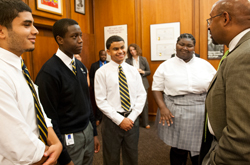
Logo
View Code
<a href="http://alpha.phila.gov"><img src="//cityofphiladelphia.github.io/patterns/images/city-of-philadelphia-logo.png" class="logo" alt="City of Philadelphia">
</a>
Breadcrumbs
View Code
<div class="row"> <div id="breadcrumbs" class="large-24 columns"> <ul class="inline-list"> <li><a href="#">Home</a></li> <li><a href="#">Grandparent</a></li> <li><a href="#">Parent</a></li> <li>Child</li> </ul> </div> </div>Table
View Code
<table role="grid" summary="A description of the table should go here for screenreaders.">
  <thead>
    <tr>
      <th width="200">Table Header</th>
      <th>Table Header</th>
      <th width="150">Table Header</th>
      <th width="150">Table Header</th>
    </tr>
  </thead>
  <tbody>
    <tr>
      <td>Content Goes Here</td>
      <td>This is longer content Donec id elit non mi porta gravida at eget metus.</td>
      <td>Content Goes Here</td>
      <td>Content Goes Here</td>
    </tr>
    <tr>
      <td>Content Goes Here</td>
      <td>This is longer Content Goes Here Donec id elit non mi porta gravida at eget metus.</td>
      <td>Content Goes Here</td>
      <td>Content Goes Here</td>
    </tr>
    <tr>
      <td>Content Goes Here</td>
      <td>This is longer Content Goes Here Donec id elit non mi porta gravida at eget metus.</td>
      <td>Content Goes Here</td>
      <td>Content Goes Here</td>
    </tr>
  </tbody>
</table>
Your standard table. You can add the class "no-borders" to any table to remove the inside and outside borders.
Table Header Table Header Table Header Table Header Content Goes Here This is longer content Donec id elit non mi porta gravida at eget metus. Content Goes Here Content Goes Here Content Goes Here This is longer Content Goes Here Donec id elit non mi porta gravida at eget metus. Content Goes Here Content Goes Here Content Goes Here This is longer Content Goes Here Donec id elit non mi porta gravida at eget metus. Content Goes Here Content Goes Here Table - Vertical
View Code
<table role="grid" summary="A description of the table should go here for screenreaders.">
  <tbody>
    <tr>
      <th>Content Goes Here</th>
      <td>This is longer content Donec id elit non mi porta gravida at eget metus.</td>
      <td>Content Goes Here</td>
      <td>Content Goes Here</td>
    </tr>
    <tr>
      <th>Content Goes Here</th>
      <td>This is longer Content Goes Here Donec id elit non mi porta gravida at eget metus.</td>
      <td>Content Goes Here</td>
      <td>Content Goes Here</td>
    </tr>
    <tr>
      <th>Content Goes Here</th>
      <td>This is longer Content Goes Here Donec id elit non mi porta gravida at eget metus.</td>
      <td>Content Goes Here</td>
      <td>Content Goes Here</td>
    </tr>
  </tbody>
</table>
A column focused table. You can add the class "no-borders" to any table to remove the inside and outside borders.
Content Goes Here This is longer content Donec id elit non mi porta gravida at eget metus. Content Goes Here Content Goes Here Content Goes Here This is longer Content Goes Here Donec id elit non mi porta gravida at eget metus. Content Goes Here Content Goes Here Content Goes Here This is longer Content Goes Here Donec id elit non mi porta gravida at eget metus. Content Goes Here Content Goes Here Alpha/Beta alert
View Code
<div id="alpha-alert">
  <div class="row">
    <div class="large-15 columns">
      <p>This service is in <a href="http://alpha.phila.gov/about/">Alpha</a>: it is a work in progress and may contain errors or inaccuracies.</p>
      <a class="go-back small-text" href="http://phila.gov" target="_blank">
        <i class="fa fa-reply"></i> Take me back to Phila.gov<span class="accessible"> Opens in new window</span></a>
    </div>
    <div class="large-9 columns contact">
      <i class="fa fa-comments"></i> <a class="feedback" href="#" target="_blank">Provide Feedback<span class="accessible"> Opens in new window</span></a>
      <i class="fa fa-globe"></i><div id="google_translate_element"></div>
        <script type="text/javascript">
          function googleTranslateElementInit() {
            new google.translate.TranslateElement({pageLanguage: 'en', layout: google.translate.TranslateElement.InlineLayout.SIMPLE}, 'google_translate_element');
          }
        </script>
        <script type="text/javascript" src="//translate.google.com/translate_a/element.js?cb=googleTranslateElementInit"></script>
    </div>
  </div>
</div>
A banner telling users a site is in alpha or beta and what that means. Button URLs for "Back to Current Site" and feedback forms are customizable to each page/application when necessary, however the "learn more" link should always go to alpha.phila.gov/about.
This service is in Alpha: it is a work in progress and may contain errors or inaccuracies.
Take me back to Phila.gov Opens in new windowSite-Wide Alert
View Code
<div id="site-wide-alert">
  <div class="row">
    <div class="large-8 columns">
      <h2><i class="ionicons ion-alert-circled"></i>Winter Weather Advisory</h2>
        <div class="alert-start"><time datetime="2015-01-05T+06:00">01-05-2015 06:00pm</time> <strong>to</strong> <time datetime="2015-01-08T+02:00">01-08-2015 02:00</time>pm</div>
      </div>
        <div class="large-16 columns">
          <strong>Code Blue Effective: </strong>Severe cold weather is expected. If you see a homeless person on the street, please call the Project Home Outreach Hotline 215 232 1884. For all other winter-related inquiries, call 311.
        </div>
    </div>
</div>
Usually a weather-related alert
Winter Weather Advisory
to pmCode Blue Effective: Severe cold weather is expected. If you see a homeless person on the street, please call the Project Home Outreach Hotline 215 232 1884. For all other winter-related inquiries, call 311.Modal
View Code
<a href="#" data-reveal-id="modal-name" class="button">Check out this great modal</a> <div id="modal-name" class="reveal-modal" data-reveal aria-labelledby="modal-title" aria-hidden="true" role="dialog"> <h1 id="modal-title">An h1</h1> <p>A paragraph tag. You can basically put anything in here.</p> <a class="close-reveal-modal" aria-label="Close">×</a> </div>A modal
Check out this great modalTooltips
View Code
<p><span data-tooltip aria-haspopup="true" class="has-tip" title="A tooltip! <p>You can enter paragraph text.</p> <p>Or, more complex markup, like definition lists.</p>
<dl class='row'>
  <dt class='small-12 column'>The word</dt>
  <dd class='small-12 column'>The definition</dd>
  <dt class='small-12 column'>A longer example</dt>
  <dd class='small-12 column'>A longer definition example that might wrap onto two lines</dd>
</dl>">Simple tooltip</span></p>
You can customize tooltips using foundation settings.
Simple tooltip
Page Title
View Code
<title>Phila.gov Patterns | phila.gov</title>The title tag should be in the following format - Page Title | phila.gov
Phila.gov Patterns | phila.gov Standard Header
View Code
<!-- Begin .header -->
<header data-swiftype-index='false' class="site-header" role="banner">
  <div class="row site-branding">
    <div class="small-24 medium-12 columns">
      <a href="http://alpha.phila.gov"><img src="//cityofphiladelphia.github.io/patterns/images/city-of-philadelphia-logo.png" class="logo" alt="City of Philadelphia">
</a>

      <h1 class="site-title">phila.gov</h1>
      <h2 class="site-description">City of Philadelphia</h2>
    </div>
    <div class="small-24 medium-12 columns">
      <form class="search">
  <input type="text" placeholder="Search alpha.phila.gov"><input type="submit">
</form>

    </div>
  </div>
</header>
phila.gov
City of Philadelphia
Application Header
View Code
<!-- Begin .header -->
<header data-swiftype-index='false' class="site-header app" role="banner">
  <div class="row">
    <div class="small-24 medium-24 column">
      <a href="http://alpha.phila.gov"><img src="//cityofphiladelphia.github.io/patterns/images/city-of-philadelphia-logo.png" class="logo" alt="City of Philadelphia">
</a>

      <h1 class="page-title"><a href="#">Application Name With a Long Title</a></h1>
      <h1 class="site-title">phila.gov</h1>
      <h2 class="site-description">City of Philadelphia</h2>
    </div>
  </div>
</header>
Application Header, with app name next to logo. Please note the class "app" on the header tag. See application page for an example of a full-width layout.
Header with Breadcrumbs
View Code
<!-- Begin .header -->
<header data-swiftype-index='false' class="site-header" role="banner">
  <div class="row site-branding">
    <div class="small-24 medium-12 columns">
      <a href="http://alpha.phila.gov"><img src="//cityofphiladelphia.github.io/patterns/images/city-of-philadelphia-logo.png" class="logo" alt="City of Philadelphia">
</a>

      <h1 class="site-title">phila.gov</h1>
      <h2 class="site-description">City of Philadelphia</h2>
    </div>
    <div class="small-24 medium-12 columns">
      <form class="search">
  <input type="text" placeholder="Search alpha.phila.gov"><input type="submit">
</form>

    </div>
  </div>
</header>

<div class="row">
  <div class="small-24 columns">
    <div class="divider"></div>
  </div>
</div>
<div class="row">
  <div id="breadcrumbs" class="large-24 columns">
    <ul class="inline-list">
      <li><a href="#">Home</a></li>
      <li><a href="#">Grandparent</a></li>
      <li><a href="#">Parent</a></li>
      <li>Child</li>
    </ul>
  </div>
</div>
phila.gov
City of Philadelphia
Header with Site-Wide Alert
View Code
<!-- Begin .header -->
<header data-swiftype-index='false' class="site-header" role="banner">
  <div class="row site-branding">
    <div class="small-24 medium-12 columns">
      <a href="http://alpha.phila.gov"><img src="//cityofphiladelphia.github.io/patterns/images/city-of-philadelphia-logo.png" class="logo" alt="City of Philadelphia">
</a>

      <h1 class="site-title">phila.gov</h1>
      <h2 class="site-description">City of Philadelphia</h2>
    </div>
    <div class="small-24 medium-12 columns">
      <form class="search">
  <input type="text" placeholder="Search alpha.phila.gov"><input type="submit">
</form>

    </div>
  </div>
</header>

<div id="site-wide-alert">
  <div class="row">
    <div class="large-8 columns">
      <h2><i class="ionicons ion-alert-circled"></i>Winter Weather Advisory</h2>
        <div class="alert-start"><time datetime="2015-01-05T+06:00">01-05-2015 06:00pm</time> <strong>to</strong> <time datetime="2015-01-08T+02:00">01-08-2015 02:00</time>pm</div>
      </div>
        <div class="large-16 columns">
          <strong>Code Blue Effective: </strong>Severe cold weather is expected. If you see a homeless person on the street, please call the Project Home Outreach Hotline 215 232 1884. For all other winter-related inquiries, call 311.
        </div>
    </div>
</div>

<div class="row">
  <div class="small-24 columns">
    <div class="divider"></div>
  </div>
</div>
<div class="row">
  <div id="breadcrumbs" class="large-24 columns">
    <ul class="inline-list">
      <li><a href="#">Home</a></li>
      <li><a href="#">Grandparent</a></li>
      <li><a href="#">Parent</a></li>
      <li>Child</li>
    </ul>
  </div>
</div>
phila.gov
City of Philadelphia
Winter Weather Advisory
to pmCode Blue Effective: Severe cold weather is expected. If you see a homeless person on the street, please call the Project Home Outreach Hotline 215 232 1884. For all other winter-related inquiries, call 311.Progress bar
View Code
A progress indicator for your app/page. Please see nprogress for usage and documenation. Go to the application example page to see it in action.
Full Width-Layout
View Code
<div class="row">
    <div class="small-24 column">1/1</div>
  </div>
See Foundation Docs for full list of options
1/13/4 Layout
View Code
<!--Grid 3/4up-->
<div class="row">
  <div class="medium-16 column">3/4</div>
  <div class="medium-8 column end">1/4</div>
</div>
See Foundation Docs for full list of options
3/41/4Three Column Layout
View Code
<div class="row">
  <div class="medium-8 column">1/3</div>
  <div class="medium-8 column">1/3</div>
  <div class="medium-8 column end">1/3</div>
</div>
See Foundation Docs for full list of options
1/31/31/3Two-Column Layout
View Code
<div class="row">
  <div class="medium-12 column">1/2</div>
  <div class="medium-12 column end">1/2</div>
</div>
See Foundation Docs for full list of options
1/21/2Event Block
View Code
<div class="row">
  <div class="medium-8">
    <div class="event-box">
      <div class="event-row">
        <a href="#" target="_blank">
          <div class="date-time">Monday, May  11 <br>
          12:00 PM - 2:00 PM</div>
        </a>
          <div class="event-title">Summer in Love Park 2015</div>
          <div class="event-location">JFK Plaza, 1599 John F. Kennedy Boulevard</div>
      </div>
       <div class="event-row">
         <a href="#" target="_blank">
          <div class="date-time">Wednesday, May 13 <br>
          11:00 AM - 3:30 PM</div>
        </a>
          <div class="event-title">Veteran's Fair</div>
          <div class="event-location">Thomas Paine Plaza (MSB)</div>
      </div>
      <div class="event-row">
        <a href="#" target="_blank">
          <div class="date-time">Friday, May 15 <br>
          7:00 AM - 6:00 PM</div>
        </a>
          <div class="event-title">Stotesbury Cup Regatta</div>
          <div class="event-location">Schuylkill River; Kelly Drive</div>
      </div>
    </div>
  </div>
</div>
Monday, May 11
12:00 PM - 2:00 PMSummer in Love Park 2015JFK Plaza, 1599 John F. Kennedy BoulevardMedia Block
View Code
<div class="row">
  <div class="equal-height news">
    <div class="medium-8 columns">
      <div class="story s-box">
        <a href="http://www.phila.gov/experiencephila/mayor.html">
          <img src="/patterns/images/internships.jpg" alt="Apply to Philadelphia Internships">
          <h3>Apply to the Mayor’s Internship Program</h3>
          <div class="small-text">Experience Philadelphia</div>
          <p>Undergraduate and graduate students interested in City government or gaining valuable workplace experience should apply to the MIPs before January 30th, 2015.
          </p>
        </a>
      </div>
    </div>
  </div>
</div>
News stories should be card-like. The whole card is a link. The 'equal-height' class can be used to force media blocks (and other elements) of differnt heights to appear equal.
Panel
View Code
<div class="panel center"><p>Is this information correct? <a href="#">Let us know</a>.</p></div>Is this information correct? Let us know.